
{AUDIO} ~ Creating and Editing Foleys
- Chloe Pritchard

- Jan 25, 2021
- 3 min read
Updated: Feb 12, 2021
{What I did/What I used to record my Foley}:
Well, normally I would gather ideas from the internet first before creating any piece of work, because if I were to choose a clip for my Foley for instance, then I suddenly come across another clip which was exactly what I had in mind, but very influencing, it would change my whole plan completely. So overall, I went in depth with the planning I had by making it more relatable and inspiring. To the videos I have chosen, I had to make sure with what equipment/sounds would be equivalent to that scene.


So I gathered my Foley materials to check if the sound was close enough to be in one of the clips I have chosen. Once my plan was set out to the way I want it, I went onto the voice recorder app that was already built into my phone and using the following items I have chosen, I started recording my sounds while pressing on the record icon.
I did it for each and every single item I had used and planned out. I wanted to do it separately so it wouldn't all gutter into one and it would be extremely difficult for me to cut out each sound in one track. So one after the other, I used the items to make the sounds sound more like we hear in reality.
{Voice recordings}:

Voice 001 ~ Sounds of crunching leaves.
Voice 002 ~ Wind chimes.
Voice 003 ~ Burning wood/Campfire.
Voice 004 ~ Strong wind.
Voice 005 ~ Sounds of rain outside the
window/Sounds of a running tap.
{Video footage}:
{Behind The Scenes}
Software I used:
{1st video ~ Campfire}:
{Editing}:


{Here's the result}:
{2nd video ~ Rainy day}:



{Finished result}:
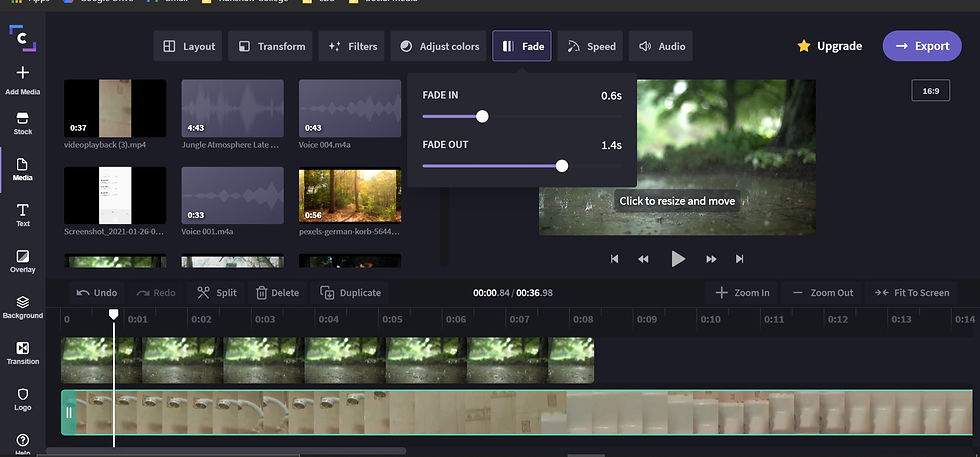
I wondered, instead of putting an audio file in the audio space, I decided to put the video over the recording to see whether it sounds better than the voice recording, since it wasn't good quality when I previewed it.
{3rd video ~ Walking through the forest}:
{Editing}:




{Result}:
{4th Video ~ Blowing in the wind}:
{Editing}:
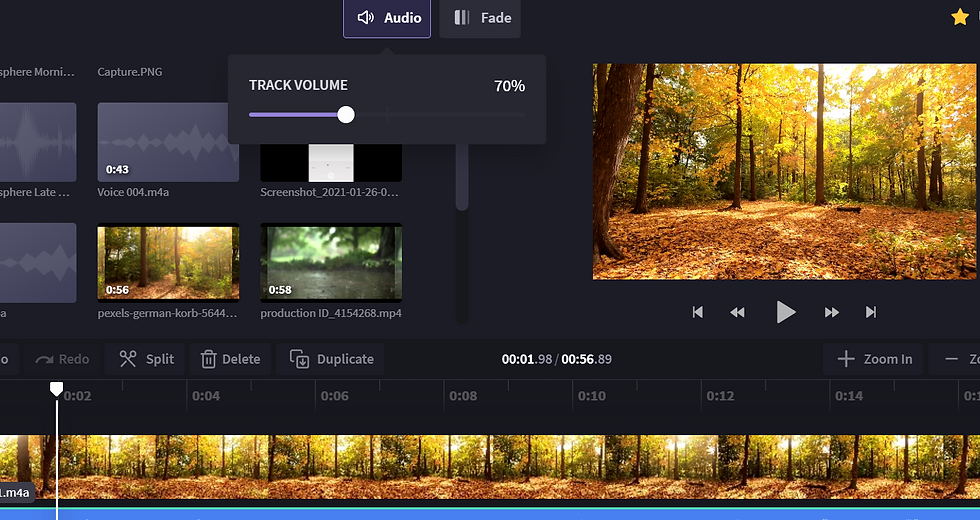
I also realised that the volume of the recording was a bit loud for a campfire, so I dropped the volume down a bit to 5% to see if it sounds more realistic. Furthermore, I added another Foley sound over it, so I started to layer the audio tracks to make sure it was in it's accurate, rightful place, so it's not mis-heard when it's being previewed. Moreover, I thought that it would be a good idea to add a fade to the audio tracks. As a result, it sounds much more like we hear in reality, better than the first time.
I went into the Clip Champ editing software and I imported one of the clips I was going to start off editing, which is the Campfire clip, followed by the Foley sound I recorded already. In addition, I included another Foley clip to go over the other sound to make it sound realistic and original. Since the campfire clip was short, I had to cut some parts of the audio by clicking on the 'split' icon, to ensure that it goes along with the video.
{5th Video ~ Wind Chimes}:
{Editing}:


{Result}:
I also realised that the volume of the recording was a bit loud for a campfire, so I dropped the volume down a bit to 5% to see if it sounds more realistic. Furthermore, I added another Foley sound over it, so I started to layer the audio tracks to make sure it was in it's accurate, rightful place, so it's not mis-heard when it's being previewed. Moreover, I thought that it would be a good idea to add a fade to the audio tracks. As a result, it sounds much more like we hear in reality, better than the first time.
I went into the Clip Champ editing software and I imported one of the clips I was going to start off editing, which is the Campfire clip, followed by the Foley sound I recorded already. In addition, I included another Foley clip to go over the other sound to make it sound realistic and original. Since the campfire clip was short, I had to cut some parts of the audio by clicking on the 'split' icon, to ensure that it goes along with the video.


Comments