About Ibis Paint X {Pre-Production}
- Chloe Pritchard

- Apr 14, 2021
- 3 min read
Updated: Apr 21, 2021
So, for my main images and art-work gallery, I'll be talking about what art software I'll be using to accomplish my magazine pages, to help me illustrate my points along the way, how long I've been using this app for, which work level do you think the app is in general and everything that has to do with the app. I would be glad to go over some artistic apps out there, but I think that... since I've been using Ibis Paint X for a long period of time now, I will have more to talk about, what tools they possess and all that jazz. So to start off, I will be going over 'What is Ibis Paint X'? I'll be glad to explain.
{What is ibis Paint X?}:
ibis Paint X is an art software, where you can draw anything you desire, whether it's your imagination, fan-art you wish to draw for fandoms, you could either use it in work-places *artist positions*. It's available for IOS/Android devices. Sadly some devices don't require the app unfortunately, but if you have an IOS or Android device, then this is the right information for you beginners out there. So going into more in depth with the app, I will explain what the app looks like, what kind of brushes, colour pallets, layers and everything it has to offer.
This is what the app should look like:

Also (forgot to mention), once you typed ibis Paint X in the Appstore/Google Play (IOS/Android), you can also see that there's another one that's very similar to that, which should look like this:

Now you may be wondering:
What's the difference between the both? Isn't there already one available?
Basically, this app is completely different, because it's a paid membership version. To put this clearly, it requires you to pay before you can actually access it. As I was wondering what kind of tools they have, and what assets they include, I looked on a YouTube tutorial one time and they had: Removeable ads, access to all the 'watch ad to use' brushes etc. As to the other app I once explained, it's like the opposite. It's the free version, they have ads, you can't access to the advanced brushes, which I find disappointing. However, you are still able to use them all, but it lets you watch an ad before you can access it, which is annoying sometimes. Once the ad finishes, you are now able to have control of the brush. Another upsetting thing is, you have a deadline to the 'watch ad to use' brushes, which is every 24 hours. So you could say you have a time limit to this, but what I suggest doing, is using all the time you have to use it, so you won't keep constantly clicking ads to use them. The free ad brushes are good too, I think all of them are. I actually have no clue to which one is the original app, but I would still recommend the free software, which I think is the original.
Now with that aside, let's move onto the inside of the ibis Paint app. Here is what you would come across, once you've opened it:
(These following images I have used, are from the app I have been using on my Samsung. They are NOT from any search engine or from anyone in my class. I used my own screenshots of the app to show you what I mean and you won't get them from anywhere else.)
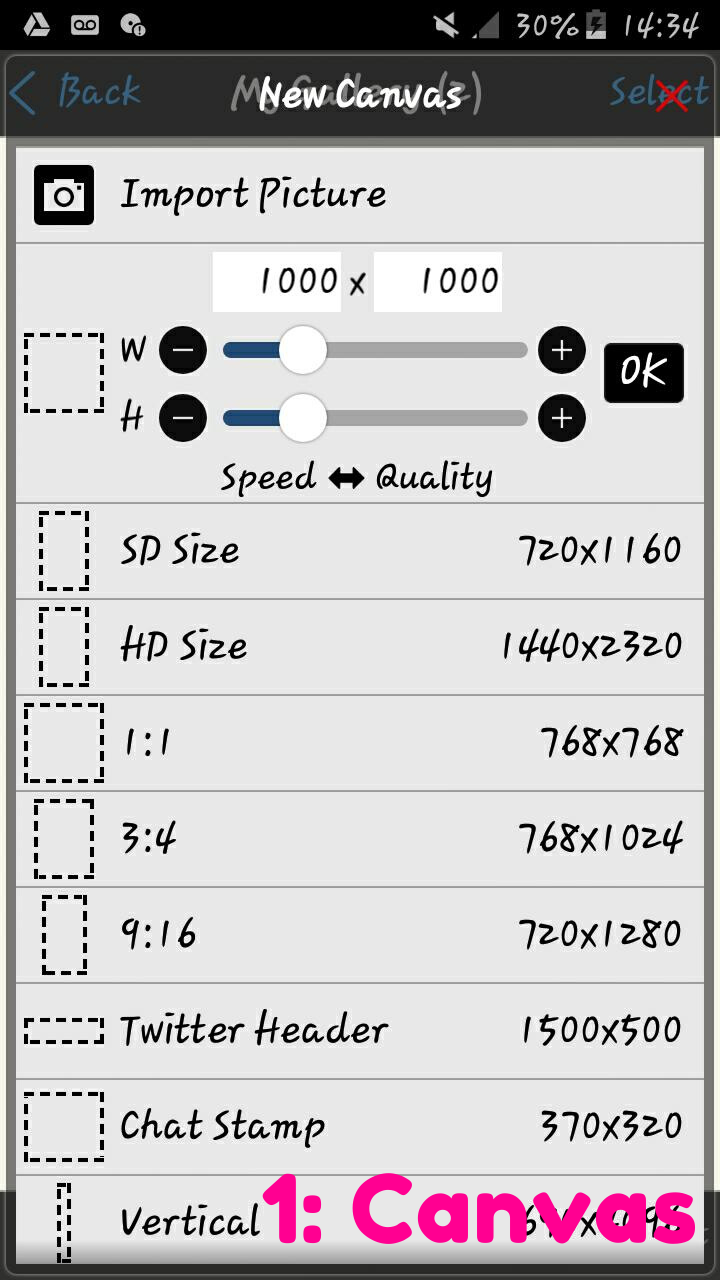


So with importing text, you would have to download them before using it. Unfortunately, it doesn't let you import your own fonts.

As you can see, this feature let's you mess with the canvas setting, image angles, import images, grouping layers, opacity levels etc.
These are the images I have screenshotted in the app, showing what its like inside, the tools that are being presented and other features.


Comments